
By Web Dashers Wiki · Based on the current developer notes and published controls. Browser build checked October 12, 2026.
Keep this control card beside your run
Open the creator's game and let it finish loading before testing an input. Click inside the game once so your keyboard goes to the play area. Choose one input and stick with it for a few attempts; swapping between a mouse and keyboard makes a timing problem harder to isolate.
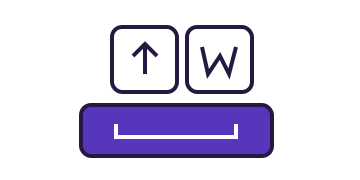
Space, the up arrow and W are available for the main gameplay action. Mouse presses and touch presses also feed the gameplay input. What a press does depends on the current mode, so a key that jumps as a cube will not produce the same movement after a portal. Holding an input and tapping it are different actions.
| Input | Use |
|---|---|
| Space / ↑ / W | Main gameplay action |
| Click / tap | Main gameplay action |
| R | Restart an active level |
| Esc | Pause or go back, depending on screen |
| P | Toggle practice during a level |
| Z / X | Place / remove latest practice checkpoint |
Make your first attempt useful
Start with a main-menu level you can recognize. For a simple input check, Stereo Madness gives you an early obstacle without having to search online. Your first goal is to confirm that a press registers, release registers, and restarting brings you back into the level. You do not need to finish the level to establish those basics.
Press R during an active run to restart. Esc handles pause and backing out, depending on the current screen. Close a text field or menu before judging whether a gameplay shortcut works: the current input handlers deliberately distinguish menus from active play.
On a phone, tap inside the game itself and use its visible controls. The desktop shortcuts in this guide do not imply that an on-screen keyboard is required. If the screen feels cramped, try landscape orientation; that is a layout suggestion, not a promise that every mobile browser behaves identically.
Check the mode before blaming the input
The developer's feature notes say that the game modes are implemented except Swing. They also describe unfinished object behavior and slope physics. Treat that as a compatibility boundary: finding a level in search does not establish that every part of that level will behave like the retail game.
A useful comparison uses the same browser and input on two levels. If the familiar main level responds normally but an online level behaves strangely at a portal or slope, record that exact transition. Changing your keybind, browser and level together loses the comparison.
Do not interpret a community video of an adapted level as proof that its unmodified counterpart works. A creator can remove or replace an unsupported section. Our levels guide includes an explicitly edited Dash demonstration for this reason.
Learning settings and record attempts have different rules
The game's extra settings include Noclip and Show Hitboxes, according to its developer notes. Those settings can help you inspect a difficult section, but an assisted attempt is not evidence of an ordinary completion. Keep a note of the settings you changed so you can return to a clean attempt.
If you plan to submit a record, read the Web Browser Demonlist's current rules first. Its permitted-mod list is narrower than the game's settings menu. The list also requires evidence of your input, such as audible clicks or a handcam, and restricts edits that affect gameplay visibility. This wiki does not accept or validate records.
Move from a missed jump to a repeatable section
Once input is consistent, practice one short section instead of restarting the whole level after each miss. The practice guide explains P, Z and X, what to do with an awkward checkpoint, and how to distinguish a learning session from a record attempt.
If you already know your controls and need a specific online level, switch to the search and editor guide. It explains why a numeric level ID is a better test than a vague name and how to keep compatibility checks separate from search results.
Sources & review
We separate developer statements, current control behavior and player reports. Community posts establish the reported question, not the cause or a release date.
Spotted a changed control or limit? Send a correction →