
By Web Dashers Wiki · Independent guide. Developer material and community rules reviewed November 3, 2026. Steps below follow the published browser build; individual features remain in development.
Choose the result you actually need
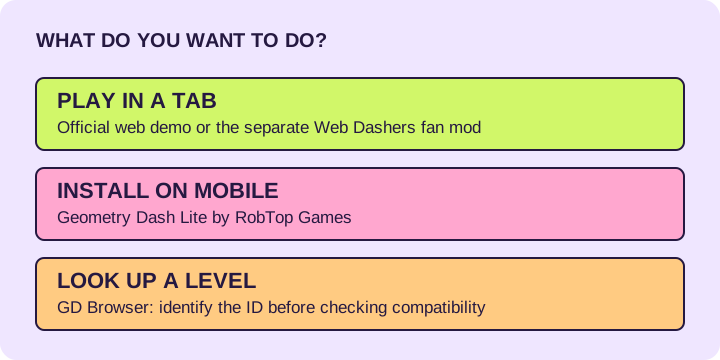
Searching for Geometry Dash web can lead to a playable demo, a fan project, a level database or a mobile app listing. Start with the task: playing in a tab, practising a browser-compatible level, looking up an ID, or installing the official mobile game. The names are easy to confuse; the destinations do different jobs.
| Option | What you get | Best for | Limit |
|---|---|---|---|
| Geometry Dash web demo | Official browser destination at geometrydash.com | Trying the official web entry | A demo is not the full retail release. |
| Web Dashers | Fan-made modification of the web demo | Online level search and browser-compatible community levels | Practice, the editor and object behavior remain in development. |
| Geometry Dash Lite | Official RobTop mobile app | A free mobile starting point | An app listing is not a browser player. |
| GD Browser | Community database and viewer for GD levels | Looking up IDs, creators and level metadata | A database result does not establish browser compatibility. |
When Web Dashers fits
Choose Web Dashers when you want its browser mod and understand the compatibility limits. The developer documents online levels, an icon kit and extra settings. It also lists an unfinished editor, early practice mode and missing Swing support. Search by numeric level ID when you want a specific copy.
A retail Geometry Dash completion does not prove that the same level works in Web Dashers. Unsupported objects can change a route. For a challenge with a browser record, use the WBDL entry and its linked recording, then search the exact ID. Our demon list keeps those browser ranks separate from retail-game rankings.
Geometry Dash Lite is an app choice
The App Store lists Geometry Dash Lite as a free game by RobTop Games AB for iPhone and iPad. Its listing describes rhythm platforming and practice mode, and points to the full version for additional features. Check the current listing for your device before installing.
If your requirement is to stay in a browser tab, an app-store download is a different route. Use the official web destination or the fan mod instead. If your requirement is the full retail game, follow the official purchase links rather than treating a browser demo as the complete release.
GD Browser helps you identify a level
GD Browser describes itself as a Geometry Dash level browser. Its creator describes it as an online level browser with in-depth level analysis. Use it when a title is ambiguous or you need a level ID; return to the game you actually intend to play afterward.
Treat lookup and playability as separate checks. Copy the numeric ID, compare the creator, search it in Web Dashers, then check whether the route relies on unsupported objects or modes. A matching title alone is not enough to identify a modified browser version.
Coolmath Games and “unblocked” results
Coolmath Games is a broad browser-game portal. Its homepage lists many unrelated games; that alone does not verify that a Geometry Dash result is an official RobTop release or that Web Dashers is hosted there. Check the exact game page and its creator before choosing it.
“Unblocked games” describes an access claim, not a Geometry Dash edition. A page cannot promise access on every school or workplace network. On a managed device, use the destinations permitted by its owner. This comparison does not provide proxy or restriction-bypass instructions.
A short route from search result to first attempt
Open the creator or official destination, let the player load and test one input on a familiar level. In Web Dashers, keep Noclip off and Speedhack at 1 for a normal run. Check a challenging level’s exact ID and browser recording before investing time in it.
Keep the same host, browser and profile when returning to local work. A .gmd export preserves one created level; it does not transfer your whole player profile between these websites or apps.
Quick answers
Is Geometry Dash Lite the same as Web Dashers?
No. Lite is an official RobTop mobile app. Web Dashers is a separate fan-made browser mod. They have different features and storage.
Can I play any level I find on GD Browser in Web Dashers?
A database entry only identifies the level. Browser playability depends on supported objects and modes in Web Dashers. Use the exact ID and check browser-specific evidence.
Does an “unblocked” label guarantee it works at school?
No. Availability depends on the device and network policy. Use permitted destinations and check the exact game source.
Sources & review
Destinations and product roles checked November 3, 2026 against creator pages, the RobTop app listing and the GD Browser creator’s directory. No claim of playing every edition, universal access or shared cloud saves is made.